Yep, we may get a tiny thank-you (read: commission) when you buy through
links on Gadgetspotr — not enough for a yacht, but enough to keep the lights (and
servers) on.
Learn more
If general information, dimensions & weight, environmental & power & build specifications matters to you, this Raise3D N2 3d printer delivers. Alongside it, you get 149 total specs & features worth knowing.
A fast snapshot of the Raise3D N2, covering its standout specification and what you can expect right out of the box.
Raise3D N2
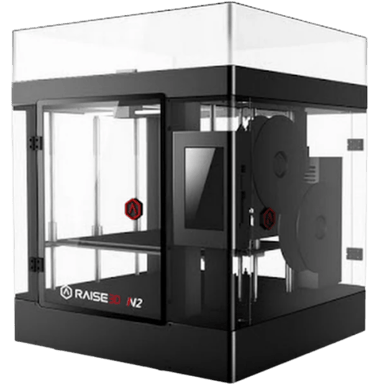
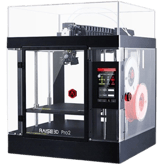
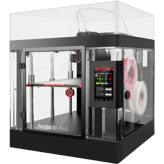
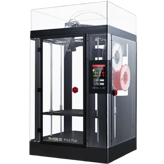
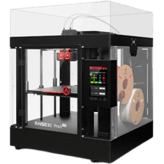
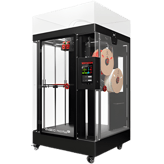
The Raise3D N2 is a robust enclosed 3D printer known for dependable performance. It offers a 305 × 305 × 305 mm build volume and dual extrusion support. With its sturdy metal frame, it delivers consistent results for long production runs.
Specifications & Facts
149
Specs measured. Drama avoided.
We went full nerd on the Raise3D N2 3d printer. All specs included, plus how it stacks up against others in the 3d printers category. You vote the winner.
General Information
12
Raise3D N2
Printer Type
What type of printer is it?
0
Raise3D N2
0
Votes
FDM/FFF
3D Printer in this range
Who knows?
(Help us out by suggesting one!)
Raise3D N2
This is an FDM/FFF type printer, which extrudes thermoplastic filament layer-by-layer to build parts.
Defines the printing technology used by the machine.
Don’t keep it to yourself — be the first to react and review the
Printer Type on Raise3D N2
◉ and help others decide!
Raise3D N2
Intended Use
What is the intended use?
0
Raise3D N2
0
Votes
Professional
3D Printer in this range
Who knows?
(Help us out by suggesting one!)
Raise3D N2
This printer is intended for professional users, suggesting a feature set and reliability aimed at demanding applications.
Identifies the main user category.
Don’t keep it to yourself — be the first to react and review the
Intended Use on Raise3D N2
◉ and help others decide!
Raise3D N2
Target User Level
What is the target user level?
0
Raise3D N2
0
Votes
Advanced
3D Printer in this range
Who knows?
(Help us out by suggesting one!)
Raise3D N2
Targeted at advanced users, this printer caters to those with experience seeking detailed control and quality output.
Indicates the recommended skill level.
Don’t keep it to yourself — be the first to react and review the
Target User Level on Raise3D N2
◉ and help others decide!
Raise3D N2
Assembly Type
What is the assembly type?
0
Raise3D N2
0
Votes
Prebuilt
3D Printer in this range
Who knows?
(Help us out by suggesting one!)
Raise3D N2
The printer is delivered prebuilt, allowing users to start printing faster without assembly requirements.
Shows whether the printer is sold as a kit requiring assembly or fully prebuilt.
Don’t keep it to yourself — be the first to react and review the
Assembly Type on Raise3D N2
◉ and help others decide!
Raise3D N2
Release Year
What is the release year?
0
Raise3D N2
0
Votes
2016
3D Printer in this range
Who knows?
(Help us out by suggesting one!)
Raise3D N2
Released in 2016, the model has established a market presence and user base over multiple years.
The year the 3D printer was first released.
Don’t keep it to yourself — be the first to react and review the
Release Year on Raise3D N2
◉ and help others decide!
Raise3D N2
Supported Applications
What applications are supported?
0
Raise3D N2
0
Votes
Prototyping, Miniatures, Engineering, Medical
3D Printer in this range
Who knows?
(Help us out by suggesting one!)
Raise3D N2
This printer supports applications such as prototyping, miniatures, engineering projects, and medical parts, showcasing versatility in use cases.
Lists the most common applications supported.
Don’t keep it to yourself — be the first to react and review the
Supported Applications on Raise3D N2
◉ and help others decide!
Raise3D N2
Upgrade Path
Does it support an upgrade path?
Yes
0Votes
Raise3D N2
3D Printer in this range
Who knows?
(Help us out by suggesting one!)
Raise3D N2
Upgrade path availability indicates that enhancements or expansions to the printer are possible as new features become available.
Whether the printer can be expanded with official or third-party upgrades.
Don’t keep it to yourself — be the first to react and review the
Upgrade Path on Raise3D N2
◉ and help others decide!
Raise3D N2
Warranty Period
What is the warranty period?
0
Raise3D N2
0
Votes
1 Year
3D Printer in this range
Who knows?
(Help us out by suggesting one!)
Raise3D N2
A warranty period of 1 year covers potential defects and malfunctions, offering users peace of mind for their investment.
Coverage period offered by the manufacturer.
Don’t keep it to yourself — be the first to react and review the
Warranty Period on Raise3D N2
◉ and help others decide!
Raise3D N2
Product Name
What is the product name?
0
Raise3D N2
0
Votes
Raise3D N2
3D Printer in this range
Who knows?
(Help us out by suggesting one!)
The commercial name of the 3D printer.
Don’t keep it to yourself — be the first to react and review the
Product Name on Raise3D N2
◉ and help others decide!
Raise3D N2
Model Number
What is the model number?
0
Raise3D N2
0
Votes
N2
3D Printer in this range
Who knows?
(Help us out by suggesting one!)
Manufacturer’s reference code for precise identification.
Don’t keep it to yourself — be the first to react and review the
Model Number on Raise3D N2
◉ and help others decide!
Raise3D N2
Assembly Required
Is assembly required?
No
0Votes
Raise3D N2
3D Printer in this range
Who knows?
(Help us out by suggesting one!)
States if the printer requires assembly.
Don’t keep it to yourself — be the first to react and review the
Assembly Required on Raise3D N2
◉ and help others decide!
Raise3D N2
Country of Origin
What is the country of origin?
0
Raise3D N2
0
Votes
China
3D Printer in this range
Who knows?
(Help us out by suggesting one!)
The country where the product is designed or manufactured.
Don’t keep it to yourself — be the first to react and review the
Country of Origin on Raise3D N2
◉ and help others decide!
Dimensions & Weight
10
Raise3D N2
Width
What is the printer’s width?
24.25
inch
0Votes
3D Printer in this range
Who knows?
(Help us out by suggesting one!)
Raise3D N2
The width measurement of the printer is 24.25 inch (61.6 cm), which should be considered when planning workspace allocation.
The total external width of the printer.
Don’t keep it to yourself — be the first to react and review the
Width on Raise3D N2
◉ and help others decide!
Raise3D N2
Depth
What is the printer’s depth?
23.23
inch
0Votes
3D Printer in this range
Who knows?
(Help us out by suggesting one!)
Raise3D N2
The printer depth measures 23.23 inch (59.0 cm), an important dimension for workspace considerations.
The total external depth of the printer.
Don’t keep it to yourself — be the first to react and review the
Depth on Raise3D N2
◉ and help others decide!
Raise3D N2
Height
What is the printer’s height?
29.92
inch
0Votes
3D Printer in this range
Who knows?
(Help us out by suggesting one!)
Raise3D N2
The printer height is 29.92 inch (76.0 cm), an important consideration for space and installation.
The total external height of the printer.
Don’t keep it to yourself — be the first to react and review the
Height on Raise3D N2
◉ and help others decide!
Raise3D N2
Weight
What is the printer’s weight?
88.2
lbs
0Votes
3D Printer in this range
Who knows?
(Help us out by suggesting one!)
Raise3D N2
The printer's weight is 88.2 lbs (40.0 kg), important for understanding portability and handling requirements.
Net weight of the printer.
Don’t keep it to yourself — be the first to react and review the
Weight on Raise3D N2
◉ and help others decide!
Raise3D N2
Package Width
What is the package width?
28.74
inch
0Votes
3D Printer in this range
Who knows?
(Help us out by suggesting one!)
Raise3D N2
The package width is 28.74 inch (73.0 cm), describing the width of the packed printer for transport and storage.
Width of the printer’s packaging.
Don’t keep it to yourself — be the first to react and review the
Package Width on Raise3D N2
◉ and help others decide!
Raise3D N2
Package Depth
What is the package depth?
28.35
inch
0Votes
3D Printer in this range
Who knows?
(Help us out by suggesting one!)
Raise3D N2
The package depth is 28.35 inch (72.0 cm), defining the front-to-back packaging dimension.
Depth of the printer’s packaging.
Don’t keep it to yourself — be the first to react and review the
Package Depth on Raise3D N2
◉ and help others decide!
Raise3D N2
Package Height
What is the package height?
35.43
inch
0Votes
3D Printer in this range
Who knows?
(Help us out by suggesting one!)
Raise3D N2
The package height is specified as 35.43 inch (90.0 cm). This indicates the total height of the printer's packaging for shipping and storage.
Height of the printer’s packaging.
Don’t keep it to yourself — be the first to react and review the
Package Height on Raise3D N2
◉ and help others decide!
Raise3D N2
Package Weight
What is the package weight?
127.87
lbs
0Votes
3D Printer in this range
Who knows?
(Help us out by suggesting one!)
Raise3D N2
The package weight is 127.87 lbs (58.0 kg), which is relevant for shipping logistics and handling.
total shipping weight including packaging.
Don’t keep it to yourself — be the first to react and review the
Package Weight on Raise3D N2
◉ and help others decide!
Raise3D N2
Build-to-Printer Size Ratio
What is the build-to-printer size ratio?
15.5
%
0Votes
3D Printer in this range
Who knows?
(Help us out by suggesting one!)
Raise3D N2
The build-to-printer size ratio of 15.5% indicates how much of the printer's physical volume is utilized by the printable area.
The efficiency ratio of build volume relative to the overall printer size.
Don’t keep it to yourself — be the first to react and review the
Build-to-Printer Size Ratio on Raise3D N2
◉ and help others decide!
Raise3D N2
Space Requirement
What is the space requirement?
3.92
sq ft
0Votes
3D Printer in this range
Who knows?
(Help us out by suggesting one!)
The minimum flat surface area needed to safely place the printer.
Don’t keep it to yourself — be the first to react and review the
Space Requirement on Raise3D N2
◉ and help others decide!
Environmental & Power
9
Raise3D N2
Power Consumption
What is the power consumption?
100
Watt
0Votes
3D Printer in this range
Who knows?
(Help us out by suggesting one!)
Raise3D N2
The power consumption at 100 Watts indicates the electrical usage during operation, relevant for energy cost assessments.
Average power usage during active printing.
Don’t keep it to yourself — be the first to react and review the
Power Consumption on Raise3D N2
◉ and help others decide!
Raise3D N2
Operating Temperature Range
What is the operating temperature range?
0
Raise3D N2
0
Votes
59-86°F
3D Printer in this range
Who knows?
(Help us out by suggesting one!)
Raise3D N2
The operating temperature range is 59°F to 86°F (15°C to 30°C), reflecting typical indoor conditions for optimal printing.
Recommended ambient temperature range for safe operation.
Don’t keep it to yourself — be the first to react and review the
Operating Temperature Range on Raise3D N2
◉ and help others decide!
Raise3D N2
Storage Temperature Range
What is the storage temperature range?
0
Raise3D N2
0
Votes
32-95°F
3D Printer in this range
Who knows?
(Help us out by suggesting one!)
Raise3D N2
The specified storage temperature range is from 32°F to 95°F (0°C to 35°C), defining safe environmental conditions for material storage to maintain quality.
Safe temperature range for storing the printer when not in use.
Don’t keep it to yourself — be the first to react and review the
Storage Temperature Range on Raise3D N2
◉ and help others decide!
Raise3D N2
Operating Humidity Range
What is the operating humidity range?
0
Raise3D N2
0
Votes
10-90%
3D Printer in this range
Who knows?
(Help us out by suggesting one!)
Raise3D N2
Operating humidity range of 10-90% supports printing in a variety of environmental conditions.
Acceptable humidity range during printer operation.
Don’t keep it to yourself — be the first to react and review the
Operating Humidity Range on Raise3D N2
◉ and help others decide!
Raise3D N2
Power Supply Type
What type of power supply does it use?
0
Raise3D N2
0
Votes
Internal
3D Printer in this range
Who knows?
(Help us out by suggesting one!)
Raise3D N2
An internal power supply simplifies setup and reduces external components, enhancing reliability and appearance.
Indicates whether the printer uses an internal or external power supply.
Don’t keep it to yourself — be the first to react and review the
Power Supply Type on Raise3D N2
◉ and help others decide!
Raise3D N2
Power Supply Voltage
What is the required power supply voltage?
0
Raise3D N2
0
Votes
100-240 Volt
3D Printer in this range
Who knows?
(Help us out by suggesting one!)
Raise3D N2
The power supply voltage range from 100 to 240 Volts allows the printer to be used in various regions worldwide with compatible electrical standards.
Voltage input supported by the printer’s power supply.
Don’t keep it to yourself — be the first to react and review the
Power Supply Voltage on Raise3D N2
◉ and help others decide!
Raise3D N2
Energy Saving Mode
Does it have energy saving mode?
Yes
0Votes
Raise3D N2
3D Printer in this range
Who knows?
(Help us out by suggesting one!)
Raise3D N2
Energy saving mode is available to reduce power consumption during idle periods, promoting efficiency and cost savings.
Whether the printer includes an energy-saving or eco mode.
Don’t keep it to yourself — be the first to react and review the
Energy Saving Mode on Raise3D N2
◉ and help others decide!
Raise3D N2
Storage Humidity Range
What is the storage humidity range?
0
Raise3D N2
0
Votes
10-90%
3D Printer in this range
Who knows?
(Help us out by suggesting one!)
Safe humidity range for storing the printer.
Don’t keep it to yourself — be the first to react and review the
Storage Humidity Range on Raise3D N2
◉ and help others decide!
Raise3D N2
Idle Power Consumption
What is the idle power consumption?
40
Watt
0Votes
3D Printer in this range
Who knows?
(Help us out by suggesting one!)
Power drawn while the printer is on but not printing.
Don’t keep it to yourself — be the first to react and review the
Idle Power Consumption on Raise3D N2
◉ and help others decide!
Build Specifications
20
Raise3D N2
Build Width
What is the build width?
12
inch
0Votes
3D Printer in this range
Who knows?
(Help us out by suggesting one!)
Raise3D N2
The build width is 12 inch (30.48 cm), defining the maximum printable width of the build area.
Maximum printable width of the build area.
Don’t keep it to yourself — be the first to react and review the
Build Width on Raise3D N2
◉ and help others decide!
Raise3D N2
Standard Nozzle Diameter
What is the standard nozzle diameter?
0.4
mm
0Votes
3D Printer in this range
Who knows?
(Help us out by suggesting one!)
Raise3D N2
The standard nozzle diameter of 0.4 mm represents a balance between precision and reasonable printing speed.
Default nozzle diameter provided.
Don’t keep it to yourself — be the first to react and review the
Standard Nozzle Diameter on Raise3D N2
◉ and help others decide!
Raise3D N2
Optional Nozzle Sizes
What optional nozzle sizes are supported?
0
Raise3D N2
0
Votes
0.4mm, 0.8mm
3D Printer in this range
Who knows?
(Help us out by suggesting one!)
Raise3D N2
Optional nozzle sizes of 0.4mm and 0.8mm provide flexibility to balance print speed and detail.
Alternative nozzle sizes supported.
Don’t keep it to yourself — be the first to react and review the
Optional Nozzle Sizes on Raise3D N2
◉ and help others decide!
Raise3D N2
Number of Extruders
How many extruders does the printer have?
0
Raise3D N2
0
Votes
2
3D Printer in this range
Who knows?
(Help us out by suggesting one!)
Raise3D N2
The printer has 2 extruders supporting multi-material or multi-color printing without manual tool changes.
total extruders installed.
Don’t keep it to yourself — be the first to react and review the
Number of Extruders on Raise3D N2
◉ and help others decide!
Raise3D N2
Dual Extruders
Does it support dual extruders?
Yes
0Votes
Raise3D N2
3D Printer in this range
Who knows?
(Help us out by suggesting one!)
Raise3D N2
Dual extruders allow printing with two different materials or colors in the same print job, expanding creative and functional possibilities.
Indicates if printer can run dual extruders.
Don’t keep it to yourself — be the first to react and review the
Dual Extruders on Raise3D N2
◉ and help others decide!
Raise3D N2
Extruder Drive Type
What type of extruder drive does it use?
0
Raise3D N2
0
Votes
Direct Drive
3D Printer in this range
Who knows?
(Help us out by suggesting one!)
Raise3D N2
A direct drive extruder delivers filament closer to the hotend, typically providing better control for flexible or specialty filaments.
The type of filament feeding system.
Don’t keep it to yourself — be the first to react and review the
Extruder Drive Type on Raise3D N2
◉ and help others decide!
Raise3D N2
Build Volume
What is the build volume?
1,731.84
cubic in
0Votes
3D Printer in this range
Who knows?
(Help us out by suggesting one!)
Raise3D N2
The build volume is 1731.84 cubic inches (28390 cm³), denoting the maximum printable volume for creating 3D objects.
total printable volume capacity.
Don’t keep it to yourself — be the first to react and review the
Build Volume on Raise3D N2
◉ and help others decide!
Raise3D N2
Layer Resolution Maximum
What is the maximum layer resolution?
10
microns
0Votes
3D Printer in this range
Who knows?
(Help us out by suggesting one!)
Raise3D N2
The maximum layer resolution is 10 microns, enabling fine detail and smooth surface finish in prints.
Thickest layer height achievable.
Don’t keep it to yourself — be the first to react and review the
Layer Resolution Maximum on Raise3D N2
◉ and help others decide!
Raise3D N2
Bed Temperature Gradient
What is the bed temperature gradient?
5
°F
0Votes
3D Printer in this range
Who knows?
(Help us out by suggesting one!)
Raise3D N2
A bed temperature gradient of 5°F (2.8°C) reflects the small temperature variation across the build plate, important for even heating.
Variance in heat across the bed surface.
Don’t keep it to yourself — be the first to react and review the
Bed Temperature Gradient on Raise3D N2
◉ and help others decide!
Raise3D N2
Hotend Replaceable
Is the hotend replaceable?
Yes
0Votes
Raise3D N2
3D Printer in this range
Who knows?
(Help us out by suggesting one!)
Raise3D N2
The hotend is replaceable which facilitates maintenance and enables nozzle upgrades or changes for different print needs.
Whether the hotend can be replaced.
Don’t keep it to yourself — be the first to react and review the
Hotend Replaceable on Raise3D N2
◉ and help others decide!
Raise3D N2
Build Depth
What is the build depth?
12
inch
0Votes
3D Printer in this range
Who knows?
(Help us out by suggesting one!)
Maximum printable depth of the build area.
Don’t keep it to yourself — be the first to react and review the
Build Depth on Raise3D N2
◉ and help others decide!
Raise3D N2
Build Height
What is the build height?
12
inch
0Votes
3D Printer in this range
Who knows?
(Help us out by suggesting one!)
Maximum printable height of the build area.
Don’t keep it to yourself — be the first to react and review the
Build Height on Raise3D N2
◉ and help others decide!
Raise3D N2
Layer Resolution Minimum
What is the minimum layer resolution?
10
microns
0Votes
3D Printer in this range
Who knows?
(Help us out by suggesting one!)
Finest layer height achievable.
Don’t keep it to yourself — be the first to react and review the
Layer Resolution Minimum on Raise3D N2
◉ and help others decide!
Raise3D N2
Filament Diameter Supported
What filament diameter is supported?
1.75
mm
0Votes
3D Printer in this range
Who knows?
(Help us out by suggesting one!)
The filament size compatible with printer.
Don’t keep it to yourself — be the first to react and review the
Filament Diameter Supported on Raise3D N2
◉ and help others decide!
Raise3D N2
Max Extruder Temperature
What is the max extruder temperature?
572
°F
0Votes
3D Printer in this range
Who knows?
(Help us out by suggesting one!)
Maximum heating capability of extruder.
Don’t keep it to yourself — be the first to react and review the
Max Extruder Temperature on Raise3D N2
◉ and help others decide!
Raise3D N2
Min Extruder Temperature
What is the min extruder temperature?
68
°F
0Votes
3D Printer in this range
Who knows?
(Help us out by suggesting one!)
Lowest operable extruder temperature.
Don’t keep it to yourself — be the first to react and review the
Min Extruder Temperature on Raise3D N2
◉ and help others decide!
Raise3D N2
Max Bed Temperature
What is the max bed temperature?
230
°F
0Votes
3D Printer in this range
Who knows?
(Help us out by suggesting one!)
Maximum heated bed temperature.
Don’t keep it to yourself — be the first to react and review the
Max Bed Temperature on Raise3D N2
◉ and help others decide!
Raise3D N2
Heated Chamber
Does the printer have a heated chamber?
No
0Votes
Raise3D N2
3D Printer in this range
Who knows?
(Help us out by suggesting one!)
Whether the printer has a heated build chamber.
Don’t keep it to yourself — be the first to react and review the
Heated Chamber on Raise3D N2
◉ and help others decide!
Raise3D N2
Independent Dual Extruder
Does it have IDEX support?
No
0Votes
Raise3D N2
3D Printer in this range
Who knows?
(Help us out by suggesting one!)
Whether the printer supports independent extruder heads.
Don’t keep it to yourself — be the first to react and review the
Independent Dual Extruder on Raise3D N2
◉ and help others decide!
Raise3D N2
Quick-Swap Nozzles
Does it have quick-swap nozzles?
No
0Votes
Raise3D N2
3D Printer in this range
Who knows?
(Help us out by suggesting one!)
Nozzles can be quickly swapped without tools.
Don’t keep it to yourself — be the first to react and review the
Quick-Swap Nozzles on Raise3D N2
◉ and help others decide!
Materials & Compatibility
10
Raise3D N2
Max Supported Filament Diameter
What is the maximum supported filament diameter?
1.75
mm
0Votes
3D Printer in this range
Who knows?
(Help us out by suggesting one!)
Raise3D N2
Maximum supported filament diameter is 1.75 mm, which is the most common filament size used in desktop 3D printers.
Maximum filament diameter that can be used.
Don’t keep it to yourself — be the first to react and review the
Max Supported Filament Diameter on Raise3D N2
◉ and help others decide!
Raise3D N2
Filament Drying Required
Is filament drying required?
Yes
0Votes
Raise3D N2
3D Printer in this range
Who knows?
(Help us out by suggesting one!)
Raise3D N2
Filament drying is required, emphasizing the need to keep filament moisture-free for optimal print quality.
Whether drying filament before use is necessary.
Don’t keep it to yourself — be the first to react and review the
Filament Drying Required on Raise3D N2
◉ and help others decide!
Raise3D N2
Supported Resin Types
What resin types are supported?
0
Raise3D N2
0
Votes
None
3D Printer in this range
Who knows?
(Help us out by suggesting one!)
Raise3D N2
No resin types are supported, which aligns with the FDM printing technology that does not use resin.
Resin types that the printer can use.
Don’t keep it to yourself — be the first to react and review the
Supported Resin Types on Raise3D N2
◉ and help others decide!
Raise3D N2
Biocompatible Materials Support
Does it support biocompatible materials?
Yes
0Votes
Raise3D N2
3D Printer in this range
Who knows?
(Help us out by suggesting one!)
Raise3D N2
The support for biocompatible materials indicates suitability for producing parts intended for medical or dental applications where material safety is critical.
Supports resins/filaments approved for medical or dental use.
Don’t keep it to yourself — be the first to react and review the
Biocompatible Materials Support on Raise3D N2
◉ and help others decide!
Raise3D N2
Supported Filament Types
What filament types are supported?
0
Raise3D N2
0
Votes
PLA, ABS, Wood, Flexible
3D Printer in this range
Who knows?
(Help us out by suggesting one!)
Filament materials that the printer can process.
Don’t keep it to yourself — be the first to react and review the
Supported Filament Types on Raise3D N2
◉ and help others decide!
Raise3D N2
Filament Dry Box
Does it support filament dry boxes?
No
0Votes
Raise3D N2
3D Printer in this range
Who knows?
(Help us out by suggesting one!)
Supports use of a dry box to prevent filament moisture issues.
Don’t keep it to yourself — be the first to react and review the
Filament Dry Box on Raise3D N2
◉ and help others decide!
Raise3D N2
Filament Auto-Loading
Does it have filament auto-loading?
No
0Votes
Raise3D N2
3D Printer in this range
Who knows?
(Help us out by suggesting one!)
Automatic feeding of filament into extruder.
Don’t keep it to yourself — be the first to react and review the
Filament Auto-Loading on Raise3D N2
◉ and help others decide!
Raise3D N2
Multi-Material Printing
Can it print with multiple materials?
Yes
0Votes
Raise3D N2
3D Printer in this range
Who knows?
(Help us out by suggesting one!)
Ability to print with multiple materials simultaneously.
Don’t keep it to yourself — be the first to react and review the
Multi-Material Printing on Raise3D N2
◉ and help others decide!
Raise3D N2
Max Number of Materials Supported
What is the maximum number of materials supported?
0
Raise3D N2
0
Votes
2
3D Printer in this range
Who knows?
(Help us out by suggesting one!)
Maximum distinct materials supported in one job.
Don’t keep it to yourself — be the first to react and review the
Max Number of Materials Supported on Raise3D N2
◉ and help others decide!
Raise3D N2
Third-Party Material
Does it support third-party materials?
Yes
0Votes
Raise3D N2
3D Printer in this range
Who knows?
(Help us out by suggesting one!)
Ability to use non-proprietary materials.
Don’t keep it to yourself — be the first to react and review the
Third-Party Material on Raise3D N2
◉ and help others decide!
Print Speed & Performance
14
Raise3D N2
First Layer Calibration
How is the first layer calibrated?
0
Raise3D N2
0
Votes
Auto
3D Printer in this range
Who knows?
(Help us out by suggesting one!)
Raise3D N2
First layer calibration is automatic, reducing setup time and improving print adhesion reliability.
Method used for first-layer bed calibration.
Don’t keep it to yourself — be the first to react and review the
First Layer Calibration on Raise3D N2
◉ and help others decide!
Raise3D N2
Print Adhesion Type
What type of print adhesion is used?
0
Raise3D N2
0
Votes
PEI
3D Printer in this range
Who knows?
(Help us out by suggesting one!)
Raise3D N2
Print adhesion is facilitated by a PEI surface, which promotes good adhesion during printing and easy removal afterwards.
Method used to secure prints to the bed.
Don’t keep it to yourself — be the first to react and review the
Print Adhesion Type on Raise3D N2
◉ and help others decide!
Raise3D N2
Time to Print Benchy
How long does it take to print a Benchy?
95
minutes
0Votes
3D Printer in this range
Who knows?
(Help us out by suggesting one!)
Raise3D N2
This printer requires about 95 minutes to print a Benchy model, a common benchmark to gauge speed and quality.
Average time to complete the benchmark “Benchy” model.
Don’t keep it to yourself — be the first to react and review the
Time to Print Benchy on Raise3D N2
◉ and help others decide!
Raise3D N2
Bridging Performance
What is the bridging performance?
20
mm
0Votes
3D Printer in this range
Who knows?
(Help us out by suggesting one!)
Raise3D N2
Bridging performance of 20 mm suggests the maximum distance the printer can span filament unsupported during a print without sagging.
Longest unsupported horizontal span printed without sagging.
Don’t keep it to yourself — be the first to react and review the
Bridging Performance on Raise3D N2
◉ and help others decide!
Raise3D N2
Overhang Performance
What is the overhang performance?
45
degrees
0Votes
3D Printer in this range
Who knows?
(Help us out by suggesting one!)
Raise3D N2
An overhang performance of 45 degrees means the printer can reliably print features angled up to 45° without support structures.
Maximum angle of unsupported overhangs achievable.
Don’t keep it to yourself — be the first to react and review the
Overhang Performance on Raise3D N2
◉ and help others decide!
Raise3D N2
Spaghetti/Fault Detection
Does it have spaghetti or fault detection?
No
0Votes
Raise3D N2
3D Printer in this range
Who knows?
(Help us out by suggesting one!)
Raise3D N2
Spaghetti/fault detection is not supported, so print failures due to filament tangling may not be automatically detected.
Detects failed prints or filament tangles.
Don’t keep it to yourself — be the first to react and review the
Spaghetti/Fault Detection on Raise3D N2
◉ and help others decide!
Raise3D N2
Print Recovery
Does the printer support print recovery?
Yes
0Votes
Raise3D N2
3D Printer in this range
Who knows?
(Help us out by suggesting one!)
Raise3D N2
Print recovery allows the printer to resume jobs after interruptions like power failures, minimizing material waste and time loss.
Ability to resume print after power loss or interruption.
Don’t keep it to yourself — be the first to react and review the
Print Recovery on Raise3D N2
◉ and help others decide!
Raise3D N2
Print Success Rate
What is the print success rate?
95
%
0Votes
3D Printer in this range
Who knows?
(Help us out by suggesting one!)
Raise3D N2
A print success rate of 95% represents reliable printing performance under normal operating conditions.
Percentage of prints successfully completed.
Don’t keep it to yourself — be the first to react and review the
Print Success Rate on Raise3D N2
◉ and help others decide!
Raise3D N2
Idle Noise Level
What is the idle noise level?
45
dB
0Votes
3D Printer in this range
Who knows?
(Help us out by suggesting one!)
Raise3D N2
The idle noise level of 45 dB indicates a relatively quiet operation when the printer is powered on but not actively printing.
Measures the noise when printer is on but not printing; lower is better.
Don’t keep it to yourself — be the first to react and review the
Idle Noise Level on Raise3D N2
◉ and help others decide!
Raise3D N2
Operating Noise Level
What is the operating noise level?
0
dB
0Votes
3D Printer in this range
Who knows?
(Help us out by suggesting one!)
Measures the sound generated during printing; lower is quieter.
Don’t keep it to yourself — be the first to react and review the
Operating Noise Level on Raise3D N2
◉ and help others decide!
Raise3D N2
Official Max Print Speed
What is the official max print speed?
150
mm/s
0Votes
3D Printer in this range
Who knows?
(Help us out by suggesting one!)
Manufacturer-claimed maximum print speed.
Don’t keep it to yourself — be the first to react and review the
Official Max Print Speed on Raise3D N2
◉ and help others decide!
Raise3D N2
Measured Effective Print Speed
What is the effective measured print speed?
60
mm/s
0Votes
3D Printer in this range
Who knows?
(Help us out by suggesting one!)
Independently measured real-world print speed.
Don’t keep it to yourself — be the first to react and review the
Measured Effective Print Speed on Raise3D N2
◉ and help others decide!
Raise3D N2
Print Accuracy
What is the print accuracy?
5
microns
0Votes
3D Printer in this range
Who knows?
(Help us out by suggesting one!)
Degree of dimensional accuracy of printed parts.
Don’t keep it to yourself — be the first to react and review the
Print Accuracy on Raise3D N2
◉ and help others decide!
Raise3D N2
Continuous Print Time
What is the max continuous print time?
100
hours
0Votes
3D Printer in this range
Who knows?
(Help us out by suggesting one!)
Maximum supported printing time without interruption.
Don’t keep it to yourself — be the first to react and review the
Continuous Print Time on Raise3D N2
◉ and help others decide!
Hardware Features
20
Raise3D N2
Touchscreen Display
Does it have a touchscreen display?
Yes
0Votes
Raise3D N2
3D Printer in this range
Who knows?
(Help us out by suggesting one!)
Raise3D N2
Equipped with a touchscreen display, the printer offers an intuitive user interface for easier control and setup.
Indicates if a touchscreen is provided for controls.
Don’t keep it to yourself — be the first to react and review the
Touchscreen Display on Raise3D N2
◉ and help others decide!
Raise3D N2
Screen Size
What is the display screen size?
7
Inch
0Votes
3D Printer in this range
Who knows?
(Help us out by suggesting one!)
Raise3D N2
The touchscreen display size of 7 inches delivers a good balance of screen real estate and compactness for user interface.
Size of the display screen.
Don’t keep it to yourself — be the first to react and review the
Screen Size on Raise3D N2
◉ and help others decide!
Raise3D N2
Build Plate Type
What type of build plate does it have?
0
Raise3D N2
0
Votes
Glass
3D Printer in this range
Who knows?
(Help us out by suggesting one!)
Raise3D N2
The build plate type is glass, offering a flat and smooth surface favorable for adhesion and print quality.
Type of build surface material.
Don’t keep it to yourself — be the first to react and review the
Build Plate Type on Raise3D N2
◉ and help others decide!
Raise3D N2
Auto Bed Leveling
Does it support auto bed leveling?
Yes
0Votes
Raise3D N2
3D Printer in this range
Who knows?
(Help us out by suggesting one!)
Raise3D N2
Auto bed leveling automates the process of calibrating the build plate level, improving first layer quality and success rate.
Automatic calibration of the print bed.
Don’t keep it to yourself — be the first to react and review the
Auto Bed Leveling on Raise3D N2
◉ and help others decide!
Raise3D N2
Frame Type
What is the frame type?
0
Raise3D N2
0
Votes
Cartesian
3D Printer in this range
Who knows?
(Help us out by suggesting one!)
Raise3D N2
The machine uses a Cartesian frame type, which is common and known for precise and stable movements in 3D printing.
Mechanical structure style of the printer.
Don’t keep it to yourself — be the first to react and review the
Frame Type on Raise3D N2
◉ and help others decide!
Raise3D N2
Enclosure
Is the printer open or enclosed?
0
Raise3D N2
0
Votes
Closed
3D Printer in this range
Who knows?
(Help us out by suggesting one!)
Raise3D N2
A closed enclosure helps maintain temperature stability and safety during printing, especially beneficial for printing with temperature-sensitive materials.
Whether the printer has an open or enclosed build chamber.
Don’t keep it to yourself — be the first to react and review the
Enclosure on Raise3D N2
◉ and help others decide!
Raise3D N2
Lighting Inside Chamber
Does it have chamber lighting?
Yes
0Votes
Raise3D N2
3D Printer in this range
Who knows?
(Help us out by suggesting one!)
Raise3D N2
Lighting inside the chamber provides illumination during printing to visually monitor the process clearly.
Chamber lighting to monitor prints in progress.
Don’t keep it to yourself — be the first to react and review the
Lighting Inside Chamber on Raise3D N2
◉ and help others decide!
Raise3D N2
Chamber Lighting Color Modes
What chamber lighting modes are available?
0
Raise3D N2
0
Votes
White
3D Printer in this range
Who knows?
(Help us out by suggesting one!)
Raise3D N2
Chamber lighting is provided in white mode, illuminating the build area for better visibility during printing.
Options for chamber lighting colors.
Don’t keep it to yourself — be the first to react and review the
Chamber Lighting Color Modes on Raise3D N2
◉ and help others decide!
Raise3D N2
Build Plate Removable
Is the build plate removable?
Yes
0Votes
Raise3D N2
3D Printer in this range
Who knows?
(Help us out by suggesting one!)
Raise3D N2
The build plate is removable, which facilitates print removal and cleaning.
Whether the build plate can be detached for print removal.
Don’t keep it to yourself — be the first to react and review the
Build Plate Removable on Raise3D N2
◉ and help others decide!
Raise3D N2
Cooling Fans
Does it have cooling fans?
Yes
0Votes
Raise3D N2
3D Printer in this range
Who knows?
(Help us out by suggesting one!)
Raise3D N2
The presence of cooling fans helps manage the thermal environment inside the printer for consistent print quality and longevity of components.
Fans for cooling extruder and printed layers.
Don’t keep it to yourself — be the first to react and review the
Cooling Fans on Raise3D N2
◉ and help others decide!
Raise3D N2
Build Plate Surface Texture
What is the build plate texture?
0
Raise3D N2
0
Votes
Other
3D Printer in this range
Who knows?
(Help us out by suggesting one!)
Surface finish of the build plate.
Don’t keep it to yourself — be the first to react and review the
Build Plate Surface Texture on Raise3D N2
◉ and help others decide!
Raise3D N2
Filament Runout Sensor
Does it have a filament runout sensor?
No
0Votes
Raise3D N2
3D Printer in this range
Who knows?
(Help us out by suggesting one!)
Detects when filament runs out and pauses printing.
Don’t keep it to yourself — be the first to react and review the
Filament Runout Sensor on Raise3D N2
◉ and help others decide!
Raise3D N2
Power Loss Recovery
Does it support power loss recovery?
Yes
0Votes
Raise3D N2
3D Printer in this range
Who knows?
(Help us out by suggesting one!)
Recovers print jobs after power interruptions.
Don’t keep it to yourself — be the first to react and review the
Power Loss Recovery on Raise3D N2
◉ and help others decide!
Raise3D N2
Motion System
What is the motion system?
0
Raise3D N2
0
Votes
Linear Rails
3D Printer in this range
Who knows?
(Help us out by suggesting one!)
Mechanical motion system guiding the print head.
Don’t keep it to yourself — be the first to react and review the
Motion System on Raise3D N2
◉ and help others decide!
Raise3D N2
Screen Resolution
What is the display resolution?
0
Raise3D N2
0
Votes
1024x600p
3D Printer in this range
Who knows?
(Help us out by suggesting one!)
Resolution of the display screen.
Don’t keep it to yourself — be the first to react and review the
Screen Resolution on Raise3D N2
◉ and help others decide!
Raise3D N2
Air Filtration
What type of air filtration is included?
0
Raise3D N2
0
Votes
None
3D Printer in this range
Who knows?
(Help us out by suggesting one!)
Air filtering system for reducing fumes and particulates.
Don’t keep it to yourself — be the first to react and review the
Air Filtration on Raise3D N2
◉ and help others decide!
Raise3D N2
Built-in Camera
Does it have a built-in camera?
No
0Votes
Raise3D N2
3D Printer in this range
Who knows?
(Help us out by suggesting one!)
Camera for monitoring prints and creating time-lapses.
Don’t keep it to yourself — be the first to react and review the
Built-in Camera on Raise3D N2
◉ and help others decide!
Raise3D N2
Manual Bed Leveling
Does it support manual bed leveling?
Yes
0Votes
Raise3D N2
3D Printer in this range
Who knows?
(Help us out by suggesting one!)
Support for traditional manual bed leveling.
Don’t keep it to yourself — be the first to react and review the
Manual Bed Leveling on Raise3D N2
◉ and help others decide!
Raise3D N2
Vibration Compensation
Does it support vibration compensation?
No
0Votes
Raise3D N2
3D Printer in this range
Who knows?
(Help us out by suggesting one!)
Compensation system to reduce print artifacts.
Don’t keep it to yourself — be the first to react and review the
Vibration Compensation on Raise3D N2
◉ and help others decide!
Raise3D N2
Toolhead Modularity
What modular toolheads are supported?
0
Raise3D N2
0
Votes
None
3D Printer in this range
Who knows?
(Help us out by suggesting one!)
Whether the toolhead can be swapped for other functions.
Don’t keep it to yourself — be the first to react and review the
Toolhead Modularity on Raise3D N2
◉ and help others decide!
Connectivity & Software
13
Raise3D N2
Connectivity Options
What connectivity options are available?
0
Raise3D N2
0
Votes
Wi-Fi
3D Printer in this range
Who knows?
(Help us out by suggesting one!)
Raise3D N2
Connectivity options include Wi-Fi, facilitating wireless communication and print job management without cables.
Available connection types for file transfer and control.
Don’t keep it to yourself — be the first to react and review the
Connectivity Options on Raise3D N2
◉ and help others decide!
Raise3D N2
Cloud-Based Software
Does it support cloud-based software?
Yes
0Votes
Raise3D N2
3D Printer in this range
Who knows?
(Help us out by suggesting one!)
Raise3D N2
The device includes a filament runout sensor feature which alerts users when filament is nearly depleted, preventing failed prints.
Indicates whether the printer uses or supports cloud software.
Don’t keep it to yourself — be the first to react and review the
Cloud-Based Software on Raise3D N2
◉ and help others decide!
Raise3D N2
Supported Slicers
Which slicers are supported?
0
Raise3D N2
0
Votes
ideaMaker, Cura, Simplify3D
3D Printer in this range
Who knows?
(Help us out by suggesting one!)
Raise3D N2
Supported slicers include ideaMaker, Cura, and Simplify3D, giving users choice in slicing software environments.
Slicer programs that are compatible with the printer.
Don’t keep it to yourself — be the first to react and review the
Supported Slicers on Raise3D N2
◉ and help others decide!
Raise3D N2
Supported File Formats
What file formats are supported?
0
Raise3D N2
0
Votes
STL, OBJ, G-code
3D Printer in this range
Who knows?
(Help us out by suggesting one!)
Raise3D N2
The printer supports common file formats such as STL, OBJ, and G-code for wide compatibility with 3D modeling software.
File types accepted for printing.
Don’t keep it to yourself — be the first to react and review the
Supported File Formats on Raise3D N2
◉ and help others decide!
Raise3D N2
Multi-Printer Fleet Control
Does it support multi-printer fleet control?
Yes
0Votes
Raise3D N2
3D Printer in this range
Who knows?
(Help us out by suggesting one!)
Raise3D N2
Multi-printer fleet control enables centralized management of multiple printers, ideal for larger production environments.